
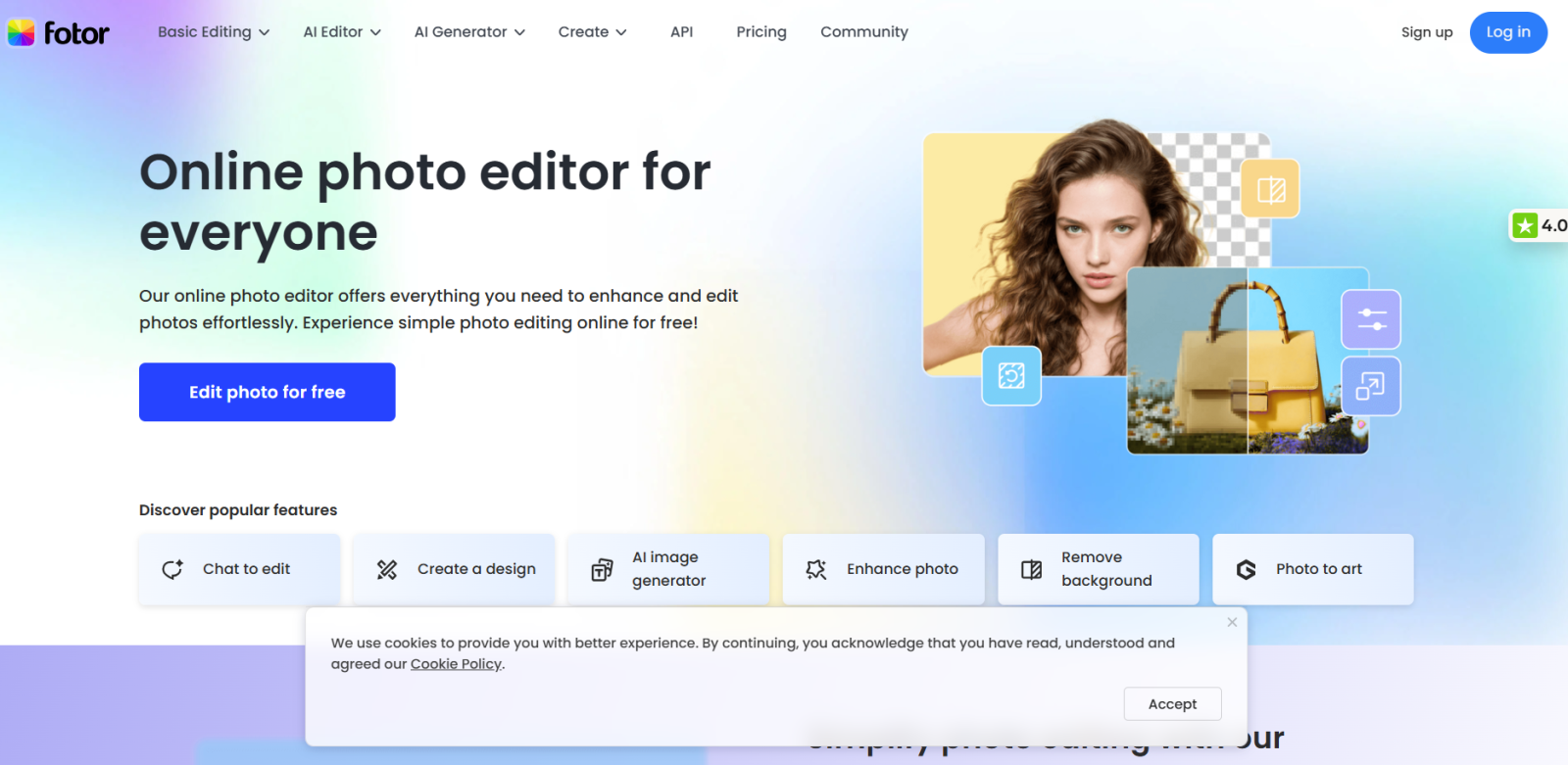
Creating stunning visuals can be time-consuming, expensive, and often requires advanced design skills. For content creators, marketers, and social media managers, producing professional-quality images quickly and efficiently is crucial.
Enter Fotor — an AI-powered photo editing and design platform that simplifies the process, making high-quality visuals accessible for everyone, regardless of skill level.
In this review, we’ll explore how Fotor works, its standout features, pricing, pros and cons, and why it’s a must-have tool in 2026.
What Is Fotor?
Fotor is an online design and photo editing platform that combines AI technology, templates, and intuitive tools to help users create professional visuals effortlessly.
Key benefits include:
-
AI-powered photo editing and enhancement
-
Easy-to-use graphic design tools
-
Templates for social media, ads, and presentations
-
Access to millions of stock images and assets
Unlike traditional software like Photoshop, Fotor focuses on speed, simplicity, and AI automation, so you can produce results in minutes rather than hours.
Key Features
AI Photo Editing
Automatically enhance photos, remove backgrounds, adjust lighting, and optimize images for professional quality with just a few clicks.
Graphic Design Templates
Access thousands of customizable templates for social media posts, ads, presentations, banners, and more. Perfect for marketers and creators who want to save time.
Background Remover
AI automatically isolates subjects, letting you replace or remove backgrounds in seconds — no technical skills required.
Collage Maker & Batch Processing
Create collages or edit multiple images at once, which is ideal for content creators working on campaigns or social media grids.
AI Content Generation
Fotor’s AI tools can generate graphics, edit photos creatively, and provide design suggestions — making it ideal for people who need inspiration quickly.
Cloud Access
Work on your projects anywhere, collaborate, and save designs online.
Why Creators Love Fotor
-
Time-saving: Edit or design in minutes instead of hours.
-
Ease of use: Intuitive interface for beginners and pros alike.
-
Versatility: Great for social media, blogs, ads, and personal projects.
-
Cost-effective: Affordable alternative to expensive design software.
-
AI-Powered: Leverages AI to make professional design accessible.
Pros and Cons
Pros
-
Powerful AI photo editing
-
Thousands of templates and design assets
-
Cloud access for seamless workflow
-
Affordable pricing
-
Batch processing for efficiency
Cons
-
Some advanced features limited to paid plans
-
AI suggestions may require manual adjustments
-
Internet connection needed for full functionality
Pricing Overview
| Plan | Best For | Features |
|---|---|---|
| Free | Beginners | Basic editing tools, limited templates |
| Pro | Creators & marketers | Full AI tools, premium templates, batch processing |
| Teams | Agencies | Collaboration features, advanced editing, priority support |
Pricing is competitive compared to other photo editors and design platforms, making it suitable for freelancers, small businesses, and content creators.
Who Should Use Fotor?
-
Social media managers & marketers
-
Bloggers & content creators
-
Small business owners
-
Freelancers needing fast design solutions
-
Anyone looking for professional AI photo editing
If you want professional visuals without the steep learning curve, Fotor is a great solution.
Final Verdict
Fotor is an all-in-one solution for photo editing and graphic design, combining AI tools, templates, and cloud access to save time and boost creativity.
Whether you’re producing social media posts, blog visuals, or marketing graphics, Fotor makes professional design accessible, fast, and affordable.
Highly recommended for creators in 2026.
Try Fotor Today: Start Designing with Fotor
Create stunning AI-powered visuals quickly, easily, and professionally.